
Why your Wi-Fi slows down when more devices connect

Your Wi-Fi router is like a busy train station, and once you get a sense of how things work, it’s easier to keep the incoming and outgoing traffic humming.
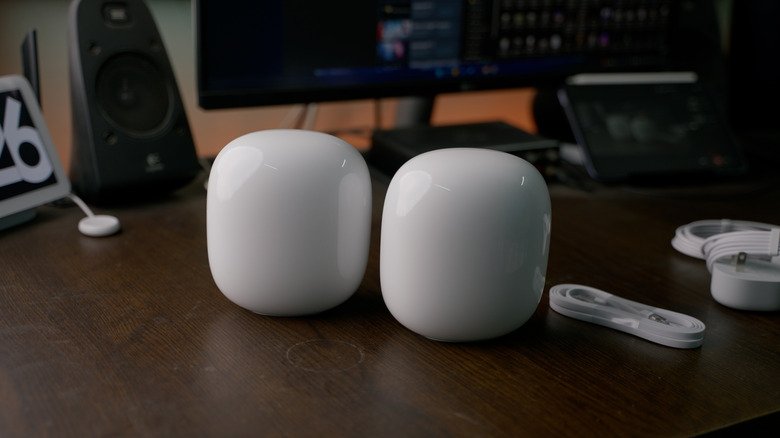
Demands on home Wi-Fi have increased considerably over the past decade, never mind the launch of the first routers way back in the 1990s. It used to be that homes had a handful of connected devices at most, typically big-ticket items like PCs and game consoles. Today, there’s a good chance your watch is online too, and that you’ve got a plethora of cool smart home gadgets ranging from lamps to smart speakers.

That can create a real crunch on performance. But why is that, exactly? You probably know part of the answer, yet there may be more going on than you imagine. Your Wi-Fi router isn’t just a series of tubes — a better analogy might be a central train station with complicated lines of incoming and outgoing traffic.

Once you have a sense of how things work, it’s easier to keep this congestion under control. It’s not just about minimizing the number of connected devices — controlling how and when gadgets connect can also have a substantial impact.

Why Wi-Fi speeds crumble under high loads

All Wi-Fi routers have an internal bandwidth cap, but there are some differences between types of home internet. Wi-Fi 6 and 6E routers top out at 9.6Gbps, whereas Wi-Fi 7 ups the ceiling to 46Gbps. Although you’re unlikely to approach even the 9.6Gbps mark, which is well beyond the scope of most internet plans, we should emphasize that these limits represent total available bandwidth — going not just to and from the internet but locally between devices. If someone’s transferring a few dozen gigabytes of video from their camera to their laptop, it could create momentary congestion if a bunch of other devices are also trying to run full-tilt.

Complicating matters is the issue of band congestion. Wi-Fi 6 provides 2.4 and 5GHz bands, while 6E and 7 add a 6GHz option. Each band is allocated only so many channels, so if a band fills up, the result is likely to be delays or a kick over to another band, assuming a device supports it and that your router isn’t using separate band IDs. The 2.4GHz band is particularly easy to overwhelm, since there are only three non-overlapping channels, and many low-power accessories don’t have 5 or 6GHz has a option.

In fact, all routers have an invisible limit on simultaneous connections, which is why you should upgrade immediately if you’re still using Wi-Fi 5. That protocol may only be able to handle as few as 10 to 25 active devices, and it’s going to boot older connections to make room for new ones once that limit is reached. I learned this the hard way when I started reviewing smart home gear in the 2010s.

What you can do to sidestep Wi-Fi congestion

Upgrading to Wi-Fi 7 may help, but be warned that it’s not a magic bullet. It’s still possible for a band to become overloaded. To truly take advantage of Wi-Fi 7’s features — such as “preamble puncturing,” which allows a channel coping with interference to be carved out for its remaining bandwidth — both your router and connecting devices need to support it. Chances are, most of the devices you own are still limited to Wi-Fi 6 or 6E.

With or without Wi-Fi 7, it may help to steer as many devices as possible over to 5 or 6GHz if your router allows the creation of separate band logins. It’s a win-win. While those bands have shorter range than 2.4GHz, they offer both less congestion and faster connection speeds for the devices that support them. 

That’s not an option on mesh routers, however, so you may need to resort to other tactics, such as using your router’s app controls to pause unnecessary devices when a particular upload or download is crucial. In the long term, you should consider migrating as many smart home accessories as possible over to hub-based setups, particularly light bulbs. While standalone Wi-Fi bulbs are cheap and easy to set up, each one has to compete for available channels. Conversely, a hub can link dozens of products via protocols like Thread or Zigbee while only demanding a single Wi-Fi connection.

Don’t miss these tips!

We don’t spam! Read more in our privacy policy

LEAVE A REPLY

Please enter your comment!
Please enter your name here

Hot this week

Aura’s newest e-ink photo frame is even better and more affordable than its last

If you’re into interior design, decorating, or just love...

Jensen Huang’s Troubles Leave the AI Industry Reeling

No executive has pulled the strings in the artificial...

Featured Artist | Karen Glykys

Karen Glykys Maidstone, Kent, UKwww.zealous.co/karenglykys/portfolio@karenglykys I am a self taught, emerging,...

Developing countries face climate finance deficit as loan payments soar

With rich governments and development banks delivering more climate...

Topics

AI Is Thriving at Capital One

If one were making a list of the companies...

What are the animals in your home learning from each other?

LEARNING FROM EACH OTHER Leaf, Sunshine, and Cuddles The animals who...

Featured Artist | Karen Glykys

Karen Glykys Maidstone, Kent, UKwww.zealous.co/karenglykys/portfolio@karenglykys I am a self taught, emerging,...

Featured Artist | Darrell Black

Darrell Black Frankfurt, Germanyhttp://darrell-black.pixels.com/@definismart My Darrell Urban Black, an American visual...

Related Articles

Popular Categories

News Feed

How to clear the application cache on your Mac

Clearing app caches don’t necessarily make your Mac...

The pros and cons of using your phone as a mobile hotspot

Skip the questionable coffee shop Wi-Fi and bring...

The pros and cons of using cloud storage over local storage

Cloud storage can be super convenient, but there...

10 things your iPhone’s Notes app can do other than taking notes

Apple Notes has a lot of tricks you...

What causes a sudden drop in phone battery percentage?

An aging battery or a recent software update...

Here’s what actually happens if your laptop battery is completely drained

A dead battery might do more damage than...

How long can a 1000 watt-hour power station run your devices?

Determining the stamina of your portable power station...

Watch UEFA Nations League Soccer: Livestream Spain vs. England From Anywhere for Free

The stage is set for an absorbing UEFA Nations League clash between Group A3 frontrunners Spain and England on Sunday, with Thomas Tuchel’s Three...

Samsung is discontinuing these useful mobile apps in December

You don’t have long to grab the augmented...

How one 13-year-old is helping solve a huge solar panel limitation

Tired of moving solar-powered Christmas lights, a seventh...

How to get warnings about speed cameras in Apple CarPlay

CarPlay is just the messenger, while your navigation...

How to tell whether your car supports Apple CarPlay

Most newer cars do, but there are a...

AO3 is back online but with limited features

The outage lasted two weeks but full functionality...

How to get the most protection from your Ring camera security system

Simply putting the camera on your front door...

Spain v England: Nations League – live

Client Challenge ...

Wi-Fi 8 is an attempt to fix the biggest problem with wireless internet

Because perfection currently remains just out of range. ...

8 Instant Observations on Jaguars’ Week 10 Win Over Titans: Travis Hunter’s All-Pro Case

JACKSONVILLE, Fla. -- The Jacksonville Jaguars have won, again. The Jaguars are one of the NFL's best teams and were widely expected to pull...

The Referees Have Some Explaining to Do As Panthers Continue to Suffer

The Carolina Panthers make it easy for the referees to penalize them. They commit a ton of really stupid penalties that are pretty obvious....

Popular articles

How to clear the application cache on your Mac

Clearing app caches don’t necessarily make your Mac...

The pros and cons of using your phone as a mobile hotspot

Skip the questionable coffee shop Wi-Fi and bring...

The pros and cons of using cloud storage over local storage

Cloud storage can be super convenient, but there...

10 things your iPhone’s Notes app can do other than taking notes

Apple Notes has a lot of tricks you...

What causes a sudden drop in phone battery percentage?

An aging battery or a recent software update...

Here’s what actually happens if your laptop battery is completely drained

A dead battery might do more damage than...

How long can a 1000 watt-hour power station run your devices?

Determining the stamina of your portable power station...

Watch UEFA Nations League Soccer: Livestream Spain vs. England From Anywhere for Free

The stage is set for an absorbing UEFA Nations League clash between Group A3 frontrunners Spain and England on Sunday, with Thomas Tuchel’s Three...

Samsung is discontinuing these useful mobile apps in December

You don’t have long to grab the augmented...

How one 13-year-old is helping solve a huge solar panel limitation

Tired of moving solar-powered Christmas lights, a seventh...

How to get warnings about speed cameras in Apple CarPlay

CarPlay is just the messenger, while your navigation...

How to tell whether your car supports Apple CarPlay

Most newer cars do, but there are a...

AO3 is back online but with limited features

The outage lasted two weeks but full functionality...

How to get the most protection from your Ring camera security system

Simply putting the camera on your front door...

Spain v England: Nations League – live

Client Challenge ...

Wi-Fi 8 is an attempt to fix the biggest problem with wireless internet

Because perfection currently remains just out of range. ...

8 Instant Observations on Jaguars’ Week 10 Win Over Titans: Travis Hunter’s All-Pro Case

JACKSONVILLE, Fla. -- The Jacksonville Jaguars have won, again. The Jaguars are one of the NFL's best teams and were widely expected to pull...

The Referees Have Some Explaining to Do As Panthers Continue to Suffer

The Carolina Panthers make it easy for the referees to penalize them. They commit a ton of really stupid penalties that are pretty obvious....